
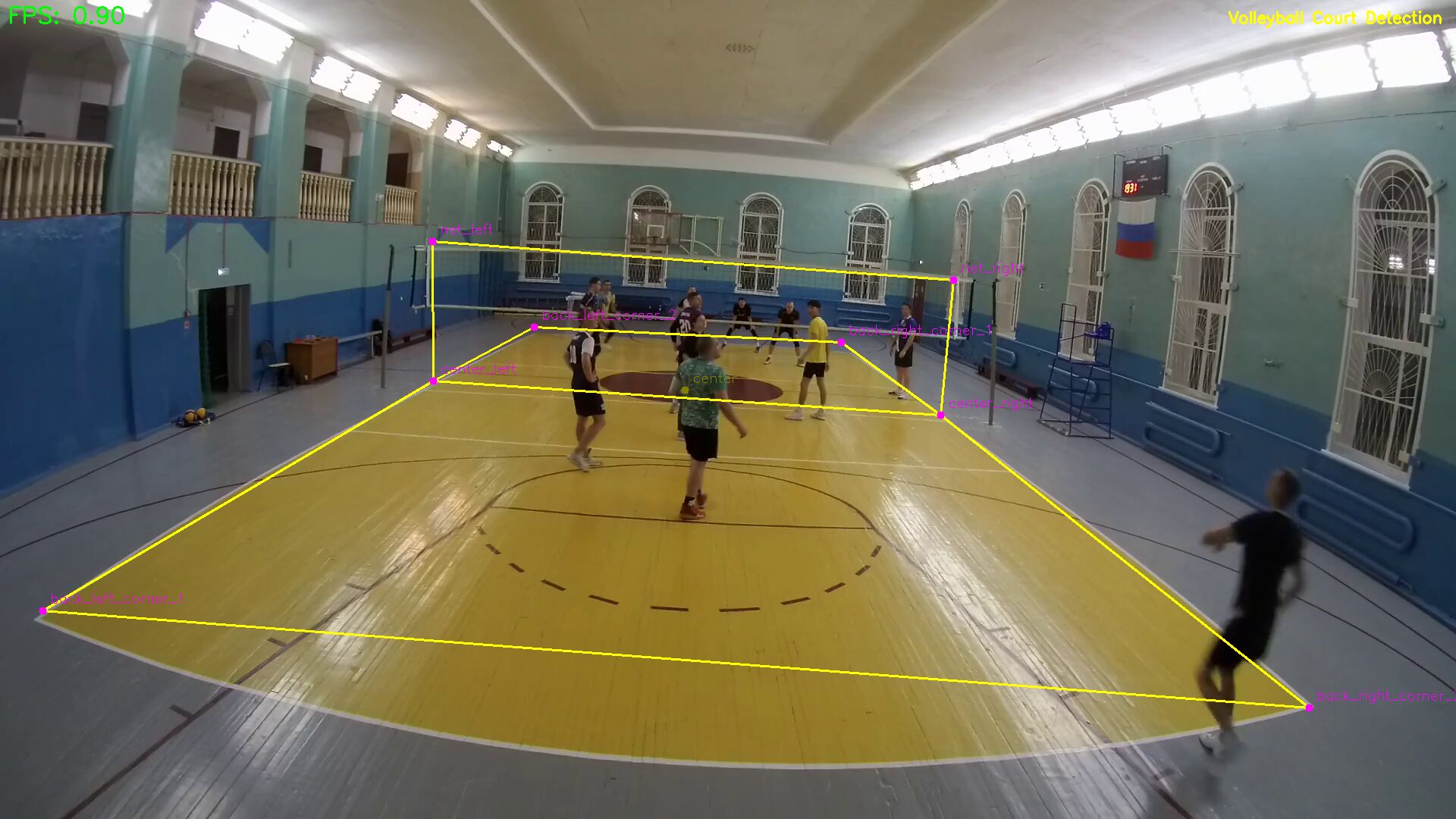
Volleyball court detection
2026/01/08
To automatically analyze a video of a volleyball game, it is desirable to automatically determine the key points of the volleyball court and net. An alternative is to manually mark the site for each video before starting analysis. While studying existing solutions, I came across the TennisCourtDetector repository. The 2022 project is the time to use U-Net architecture for detection in sports. A small simple project with a link to a dataset of more than 8,000 labeled data and pre-trained weights - which allows you to conduct your own experiments.
Step one - launch tennis court detector
Clone the repository
Since more than 3 years have passed since the last commit (2023), it is necessary to update the versions of Python and libraries. The small code size allows you to do this without any problems using vibe coding
Link to the fork with corrected dependencies (the author has not been active in the original repository for a long time):
git clone https://github.com/asigatchov/TennisCourtDetector.git
Tracknet - for keypoints court
2023 is the peak of work in the field of detection of small sports objects (tennis ball, badminton shuttlecock). I will assume that on this wavelength the author implemented the ability to detect key points of a tennis court - 14 points.
The classic TrackNet model, where to detect a small tennis ball, 3 consecutive frames in size 640x360 are supplied - at the output we get a heat map of the middle frame (there may be an implementation where there are 3 frames, and the central one has higher accuracy).
Dataset is the key to success
The author provides links to a dataset of 8000 pictures with a JSON description of the coordinates of the marked points of the site. To compile the dataset, a semi-automatic method was used: Line detection (using Hough transform). Source —- Tennis Analysis using deep learning
Study and experiment
After running the code, I found out that the operating speed is 1 fps on the CPU and 23–36 fps on GPU (5070). To speed up the work, it was decided to reduce the number of network parameters by reducing the image size to 512×288 (seen in modern TrackNetV2/V4 models) and converting the frames to black and white (1 channel instead of 3). Training on cropped data allowed us to speed up the training cycle and slightly speeded up execution.
Dataset format and why I chose COCO
For good learning results, you need labeled data. The key is to have them well marked. After examining the tennis court markup data, I realized that it was using a custom format. This means that first you need to markup it into one of the popular formats, and then convert it. Or modify the data loader for the COCO format, and convert the custom markup for the tennis court to COCO. The COCO format is supported by popular data tagging tools. One of them is Roboflow. Roboflow has a monthly credit limit that covers amateur needs. Wrote CocoCourtDataset (data loader) and converter data_train.json → _annotation.coco.json. The test training cycle showed that everything was going correctly.
Volleyball field/court markings
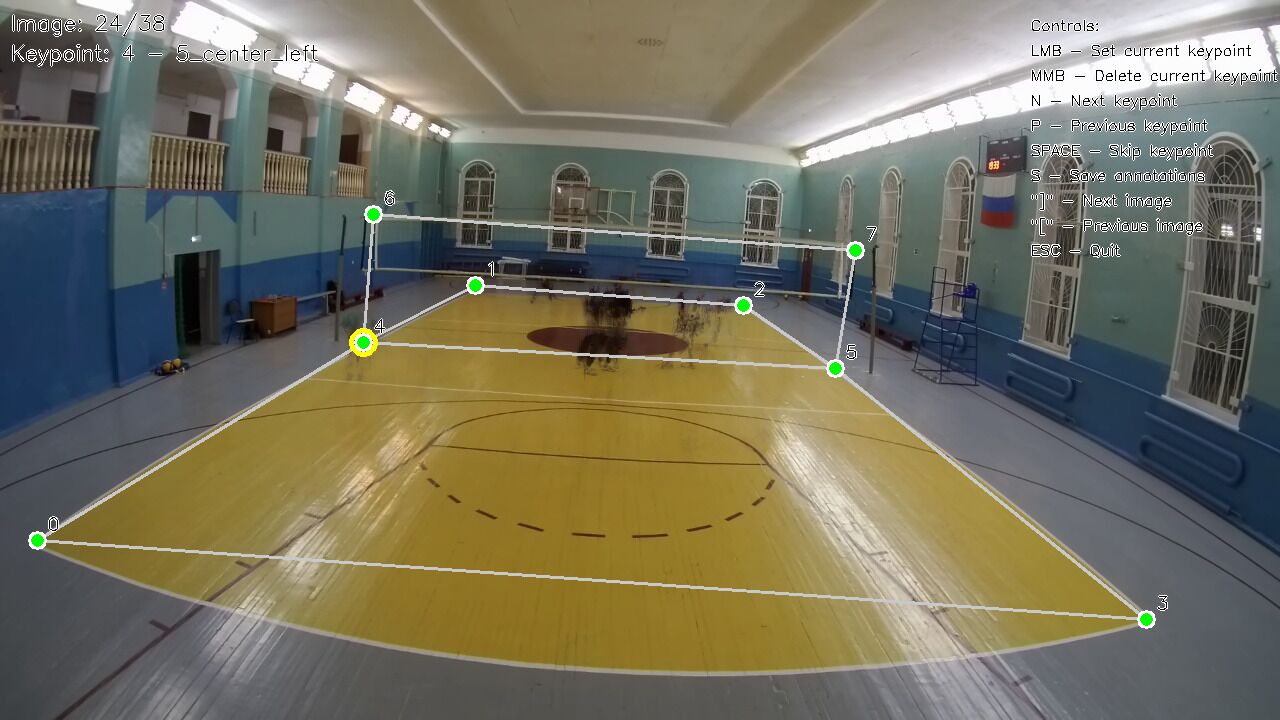
Since the ultimate goal is to work with video from my amateur cameras, publicly available datasets are not suitable. Action cameras have a fish eye, and the markings from the TV will not work - it will not work correctly. I tried to make my first markup attempt in Roboflow. The process turned out to be long, and, as it turned out after marking 50 frames, I marked the data incorrectly, without understanding the skeleton and drawing points. As they say in the classics, real heroes always take a detour. Using CV2, we write our own markup environment using minimal code. Initially I wanted to mark 10 points of the site (4 corners and 6 intersections of the side line). Then I thought: why don’t they mark the net in tennis? - and added the upper edges of the grid at the antennas. During the marking process in Roboflow, I realized that marking 8 points was faster than 12, and reduced the points of the 3-meter lines. For the test, I took 15 video recordings of games from the back line. Made an automatic mechanism for copying points. The camera is stationary, which means you can mark the first frame and move the marking further. Added button A - auto scrolls through the video 50 frames at a time and saves the markup. N and P buttons to move between points in a circle.
yolo11m-pose - to determine key points of the site
The availability of data allows experiments with other network architectures. For comparison, I decided to try YOLOv11-pose training. YOLOv11 from https://www.ultralytics.com/ allows you to quickly and easily retrain a neural network to suit your specific needs. YOLO tries to compensate for the small amount of data through data augmentation (artificial change): tilts, scaling, mosaics, rotations, etc. A quick test showed that you can safely take the model, further train it and use it. Visually, in the test videos, the best result was on the configuration with mosaic.
data_yml = 'data/yolo-datasets/data.yaml'
results = model.train(
    data=data_yml,
    epochs=150,                  # Custom kp требует больше эпох
    imgsz=1280,                  # Сохраняем детали корта
    batch=4,                    # Auto-batch (или 8-16 вручную)
    device=0,                    # GPU
    patience=50,
    augment=True,                # Критично для вариаций кортов (освещение, угол)
    hsv_h=0.015, hsv_s=0.7, hsv_v=0.4,
    degrees=20,
    translate=0.2,
    scale=0.9, shear=10.0, fliplr=0.5,
    mosaic=1.0, mixup=0.5,      # Сильные аугментации для generalization
    optimizer="AdamW",
    lr0=0.001,
    close_mosaic=20,
    name="volleyball_court_yolo11m_pose_mosaic_bl",
    project="runs/yolo11m_pose",
    exist_ok=True
)
Manual data augumentation
Marked about 2800 frames. If we uniquely combine the camera + installation location, we get about 20 ± unique frames in which the players move. To prepare the model for videos that were not included in the training, and to simulate different camera tilts, I decided to rotate the frame 10 degrees to one side. The difficulty lies in the fact that key points need to be rotated simultaneously with the frame. An important point is testing and monitoring the coincidence of key points after rotation. The surprise was that the model has scale=2 for the size of the input/output: input 512x288, output 256x144. The first version of the model had low accuracy; when localizing the problem, it was blamed on the inconsistency of the frame and points after rotation. Debugging and attempts to derive what was being fed into training caused difficulties, as they required setting the debugging mode parameter. A simple option was to use flag-file:
if os.path.exist('./tmp/debug.txt'):
    save_image_and_heatmaps(...)
and simplifying the turn code
img_rotation_matrix = cv2.getRotationMatrix2D(img_center, angle, 1.0)

hm_rotation_matrix = cv2.getRotationMatrix2D(hm_center, angle, 1.0)
And also adding intermediate examples of what the model learned at the validation stages
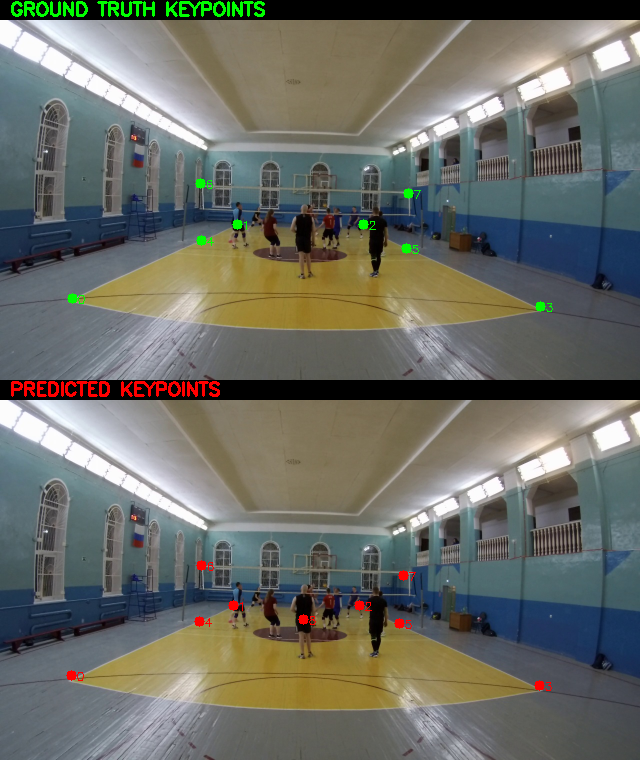
In the process of experimentation, I decided to formalize the opportunity to work with different sports - tennis, volleyball, badminton.
More on this in the next article.
